One of the most time-consuming parts of ministry prep is creating small group discussion guides. Between summarizing your sermon to thinking up questions that spark thoughtful conversation, there’s a lot that goes into it. Luckily, AI for churches can make that process simpler, quicker, and more efficient. Below, we’ll discuss why and how churches are using AI to create small group discussions.
The Importance Of Discussion Guides For Churches
Small group discussion guides aren’t just worksheets, but they are an excellent ministry tool to have to turn Sunday sermons into weekly conversations. This can help your congregation’s faith grow, build stronger bonds, and help members apply the message in their daily lives.
Here’s why discussion guides matter:
- Encourages spiritual growth – Discussion guides help members reflect on what they have learned so they can apply it to their lives.
- Brings members together – Discussion time can build and strengthen bonds between members through shared faith experiences.
- Keeps conversations on track – Questions and structure will keep the group on topic so they get the most out of each session.
- Supports visual learners – Many people seem to process things better when they can read, write, and discuss. A guide could keep everyone engaged.
How AI Simplifies the Process
Typically, it could take a decent amount of time to make a discussion guide, as you have to outline, summarize, and create questions that will get your members thinking and reflecting. With the help of AI, you will have a discussion guide at your fingertips in just minutes. This could save you a lot of time in the long run, so you can focus more on ministry.
An AI church content tool can:
- Analyze your sermon.
- Develop small group questions.
- Summarize main ideas and key scriptures.
- Provide key takeaways for your members.
Creating a Church Discussion Guide using Sermon Shots
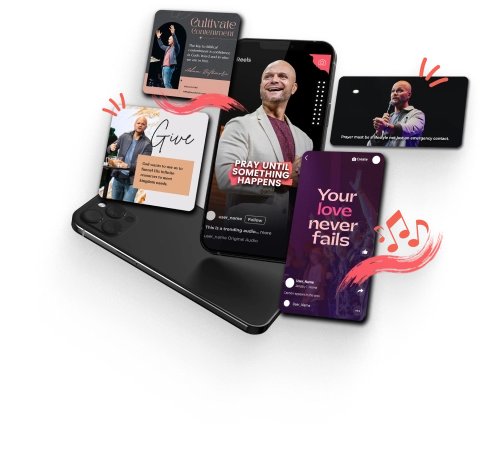
Sermon Shots is an all-in-one AI platform designed specifically for churches. It helps you repurpose sermons into useful content, like sermon clips, summaries, transcriptions, and discussion guides. It will save you time, and it’s simple to use. The instructions walk you through it, so anyone could create a discussion guide. You won’t need a technology background.
Here’s how you can create your own:
Step-by-Step: How to Create a Discussion Guide in Sermon Shots
- Log in to your Sermon Shots account
Go to Sermon Shots and log in. - Upload your sermon clip or recording
Go to your dashboard and drag and drop your sermon video or audio file. - Select “Create Discussion Guide”
From the list of available options (clips, summaries, transcriptions, blogs, etc.), choose Discussion Guide. - Let AI do the work
Sermon Shots’ AI will quickly analyze your sermon and generate questions that match your message and scripture. - Review and personalize
You can adjust, add, or remove questions to better fit your group’s needs if necessary. It’s essential to remember that AI should be utilized as a first draft, particularly when using it for church-related purposes. You should always review it beforehand and make the necessary edits. - Download or share
Export the finished guide as a document or share it digitally. It’s that easy!
In Conclusion
Creating a small group discussion guide no longer has to be a headache or take hours to make. With AI tools for churches, like Sermon Shots, you can easily transform your sermons into meaningful and structured discussion materials that encourage your members to grow and reflect.
FAQs: AI Discussion Guides for Churches
Q: Is it okay to use AI for churches?
A: Definitely! AI is simply a tool that helps you to use your time more efficiently. You still guide the message; it just helps organize and inspire.
Q: Can I edit the AI-generated guide?
A: Yes. You can review and customize every question and note before sharing.
Q: What other features does Sermon Shots offer?
A: Besides discussion guides, you can create sermon clips, summaries, thumbnails, blogs, and more.
Q: How long does it take to make a discussion guide?
A: Typically just a few minutes! It’s a simple and quick process.